

Refer a friend
Refer a friend earns your team referral credits for bringing new teams to HostRepute. When someone signs up through your team’s link and their team makes its first payment, your team and theirs each get 500 credits, for up to 20 teams.
Before you begin
Section titled “Before you begin”- Any member can share the link. The link belongs to the team, and so do the credits it earns. The team’s Owner gets an email for each reward.
- It works for new accounts. The person you refer has to create a HostRepute account after opening your link. A team owned by the same person as your team never earns a reward.
- The program can be paused. When it is, the page says Referral rewards are paused. Credits your team already earned stay in its balance.
Share your link
Section titled “Share your link”-
Open the account menu, your name at the bottom of the sidebar, then choose Your account, then Refer a friend. You can also press ⌘ K (or Ctrl K) and search for it. It isn’t in the Settings menu.
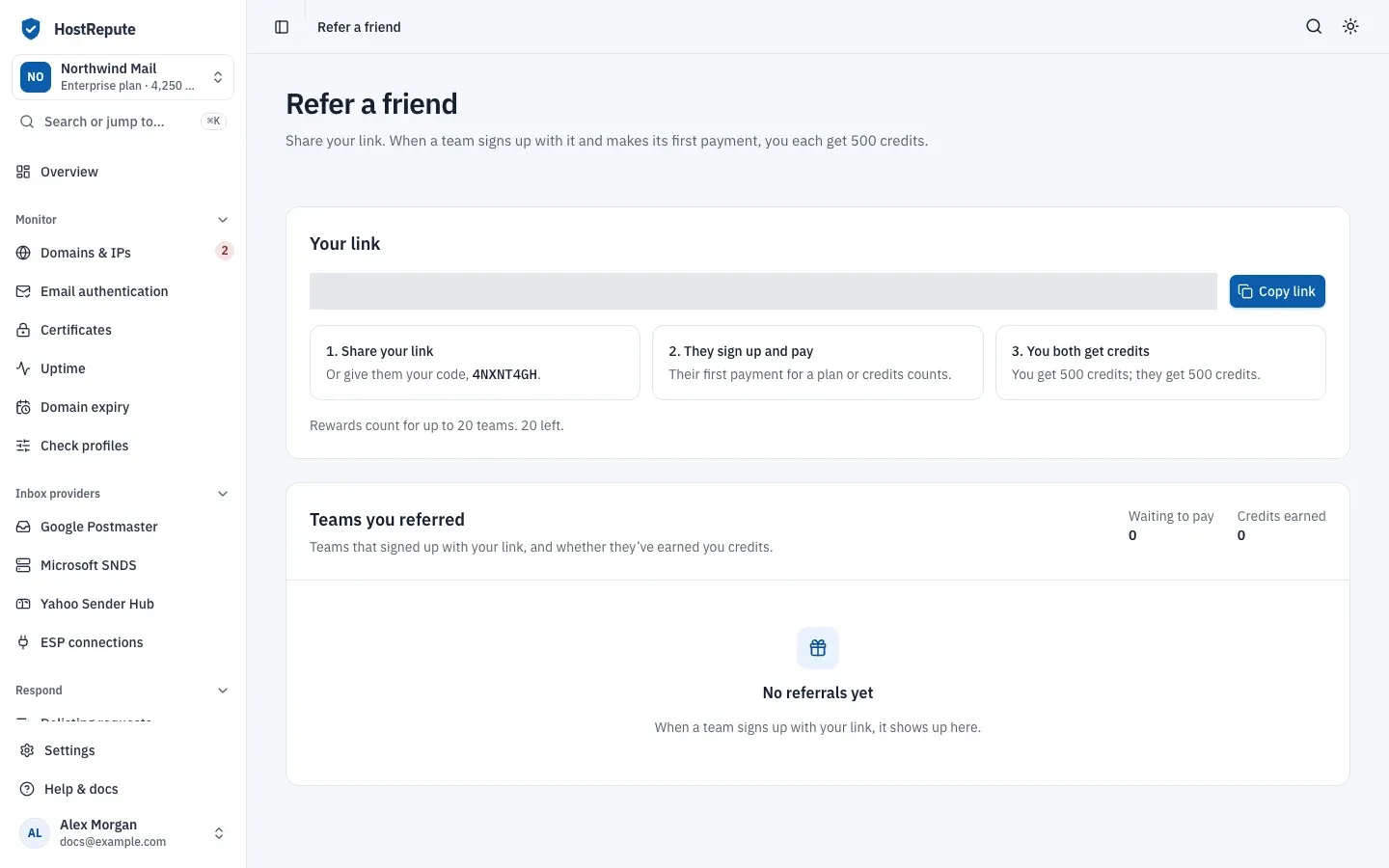
-
Under Your link, choose Copy link and send the link to the person you’re referring.
-
They open the link and create their account. Signing up with an email address and password counts, and so does signing up with Google, GitHub, Yahoo or Microsoft.
The page also shows your team’s referral code. There is no field to type a code when signing up: the code works only
inside a link. Any hostrepute.com or app.hostrepute.com address with ?ref= and the code added counts as your link.
How a referral earns credits
Section titled “How a referral earns credits”- Opening your link saves your team’s code in the visitor’s browser for 30 days. The first link someone opens is the one that counts: a later referral link doesn’t replace it.
- When they create their account, the team HostRepute creates for them at sign-up is recorded as referred by your team. It appears under Teams you referred, and Waiting to pay counts it.
- That team’s first payment, for a plan or for credits, qualifies the referral. A checkout that comes to nothing, for example with a full discount, doesn’t count.
- Your team and theirs each get their credits once the payment completes. First payment shows when, You earned shows your team’s reward, and Credits earned adds them up.
- Rewards count for up to 20 teams. After that the page says new referrals won’t earn credits, and they’re recorded as Rejected.
| Status | Meaning |
|---|---|
| Pending | The team signed up through your link but hasn't paid yet. Waiting to pay counts these. |
| Qualified | The team made its first payment, for a plan or for credits, and your team and theirs each got their referral credits. First payment shows when. |
| Rejected | The team paid, but the referral earns no credits: the team has the same Owner as yours, or your team had already reached its limit of referrals that earn credits. |
| Setting | Default | How to change |
|---|---|---|
| Credits for the team that shared the link | 500 credits per referral that qualifies | Fixed |
| Credits for the referred team | 500 credits when its referral qualifies | Fixed |
| Referrals that earn credits | 20 per team that shares the link | Fixed |
| Referral link remembered in the visitor's browser | 30 days from the first visit with the link | Fixed |
Check that it worked
Section titled “Check that it worked”- After the person signs up, their team shows as Pending under Teams you referred.
- After their first payment, it shows as Qualified with the date of the payment and your reward.
- Your team’s Owner can see the reward in Settings, then Plans & billing, then History as “Referral reward”. The referred team’s history shows “Referral signup bonus”.
Troubleshooting
Section titled “Troubleshooting”- No referrals yet. Nobody has signed up through your link yet. The person may have signed up without opening the link, in another browser, more than 30 days after opening it, or after opening someone else’s referral link first. Signing in to an account they already had doesn’t count either.
- A team stays Pending. It hasn’t made a payment yet. A team on its trial hasn’t paid.
- A team shows Rejected. It has the same Owner as your team, or your team had already earned its 20 rewards.
- Referral rewards are paused. HostRepute has paused the program. No link is shown and no new credits are given; credits already earned stay.
Related
Section titled “Related”- Credits explains what the credits pay for.
- Plans, trial and billing covers the trial and the first payment.
- Credit costs lists what each check costs.
- Limits and defaults lists the referral limits with the others.