

Check internal certificates with a private agent
An internal certificate monitoring agent, called a private agent in the portal, checks certificates on servers that the internet can’t reach, such as an internal mail relay or an intranet site. The agent runs inside your network: it asks HostRepute which certificates are due, checks them, and posts each result back. HostRepute then grades the result, records it and sends alerts exactly as it does for the certificates it checks itself. Read Monitor TLS certificates first; this page covers what is different.
Before you begin
Section titled “Before you begin”- The Developer role or higher to create and revoke agents.
- A program to act as the agent. HostRepute provides the agent API, not agent software: the agent is any script or
service you run that can make HTTPS requests to
app.hostrepute.comand open TLS connections to your internal servers. The two endpoints are described below and in the API reference. - Outbound HTTPS from the agent. HostRepute never connects to the agent, so it needs no inbound firewall rule.
Add a private agent
Section titled “Add a private agent”-
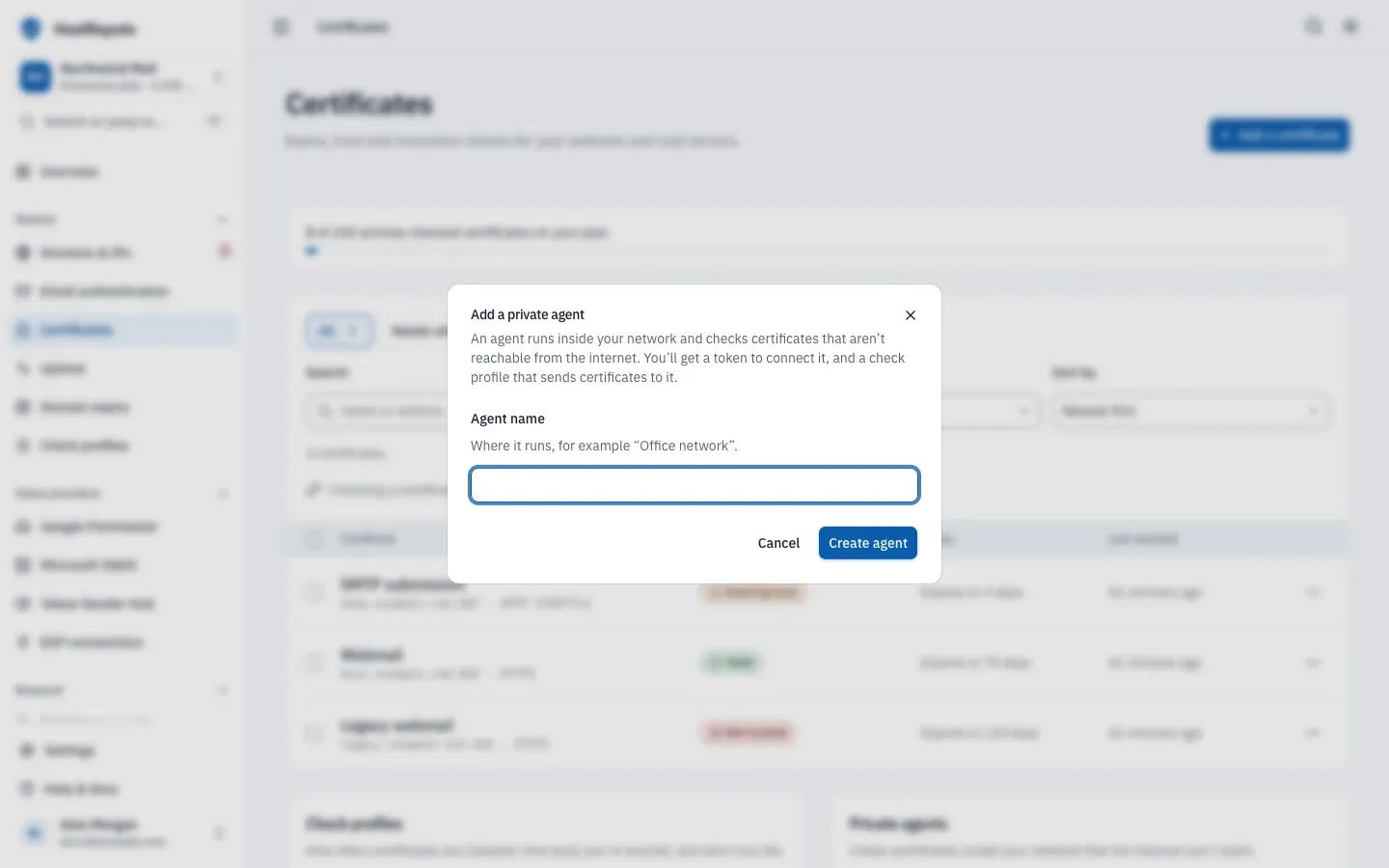
Open Monitor, then Certificates and, under Private agents, choose Add a private agent.
-
Enter an Agent name that says where it runs, for example “Office network”, and choose Create agent.
-
The panel Connect your private agent shows the agent token once. It starts with
hrca_. Copy it into your agent’s configuration, along with the request and the result address the panel shows, then choose I’ve saved the token. -
HostRepute also creates a certificate check profile named after the agent, for example “Office network Agent”, whose Checked by is the agent. Put each internal certificate in that profile: pick it under More options › Check profile when you add the certificate, or in the certificate’s Settings. You can also point any other certificate check profile at the agent.
-
Start the agent. Its status changes from Waiting for first contact to Online the first time it asks for work.
How the agent works
Section titled “How the agent works”- Every few minutes, the agent asks for the certificates that are due.
- HostRepute returns the certificates in the agent’s check profiles whose interval has passed, oldest first, and reserves each one for that agent for 10 minutes so it isn’t handed out twice. An empty list means nothing is due.
- The agent connects to each server and checks its certificate.
- The agent posts one result per certificate. HostRepute grades it, records the check, updates the status, works out events such as a replaced certificate or a certificate that is valid again, and alerts your channels.
- The certificate’s next check is due one interval later. A certificate whose result doesn’t arrive within the 10 minutes is handed out again.
HostRepute’s own hourly checks skip every certificate whose profile uses an agent.
Ask for due checks
Section titled “Ask for due checks”Authenticate with the agent token, not a team API token. A team API token, even one with the certificate:agent
ability, doesn’t work on these endpoints.
curl -H "Authorization: Bearer hrca_your_agent_token" \ "https://app.hostrepute.com/api/v1/certificate-agent/tasks?limit=25"limit is optional, from 1 to 100, and defaults to 25.
{ "data": [ { "uuid": "01a178db-e204-7d3b-9a61-0c5e8f2b4d97", "name": "Internal SMTP relay", "host": "relay.corp.example.com", "port": 587, "protocol": "starttls_smtp", "sni": null, "checks_all_resolved_ips": true, "warning_thresholds": [60, 30, 14, 7, 1], "last_checked_at": null } ]}Use warning_thresholds to decide whether a certificate is expiring, and checks_all_resolved_ips to decide whether
to check every IP address behind the name.
Post a result
Section titled “Post a result”Post each result to /api/v1/certificate-agent/tasks/{uuid}/result, with the uuid from the task. Only status is
required: one of healthy, expiring, expired, invalid, failed or pending. Send every other field you have,
because the grade is worked out from them.
curl -X POST "https://app.hostrepute.com/api/v1/certificate-agent/tasks/01a178db-e204-7d3b-9a61-0c5e8f2b4d97/result" \ -H "Authorization: Bearer hrca_your_agent_token" \ -H "Content-Type: application/json" \ -H "Accept: application/json" \ -d '{ "status": "healthy", "host": "relay.corp.example.com", "port": 587, "protocol": "starttls_smtp", "checked_ip": "192.0.2.40", "issuer": "Northwind Internal CA", "common_name": "relay.corp.example.com", "sans": ["relay.corp.example.com"], "fingerprint_sha256": "3B7E1C5A9D2F4E6B8A0C1D3E5F7A9B2C4D6E8F0A1B3C5D7E9F1A2B4C6D8E0F2A", "expires_at": "2026-12-10T23:59:59Z", "days_remaining": 45, "chain_valid": true, "hostname_valid": true, "algorithm_secure": true, "revocation_status": "good", "checked_at": "2026-10-26T15:37:18Z" }'{ "data": { "uuid": "01a178db-e206-73cc-829e-4bf5f55fad0c", "status": "healthy", "certificate_grade": "A", "certificate_score": 100, "events": [], "checked_at": "2026-10-26T15:37:18.000000Z" }}host, port and protocol, when you send them, must match the certificate. Every field, with its limits, is in the
API reference: Fetch due certificate checks and
Submit a certificate check result.
Agent status and alerts
Section titled “Agent status and alerts”| Status | Meaning |
|---|---|
| Waiting for first contact | The agent was created but hasn't asked HostRepute for work yet. |
| Online | The agent has contacted HostRepute, to ask for work or send a result, and hasn't gone 15 minutes without contact since. |
| Not heard from | No contact for 15 minutes. HostRepute alerts your channels, and alerts again when the agent is back online. |
| Revoked | You revoked the agent: its token stops working, and the certificates it checks are paused until you move them to another check profile. |
Every 5 minutes, HostRepute looks for agents that have been silent for 15 minutes. It marks them
Not heard from and alerts your channels (webhook event alert.certificate_agent_offline). When the
agent next asks for work, it’s Online again and your channels get a recovery alert
(alert.certificate_agent_recovered). Each of these alerts goes out at most once a day per agent. An agent that never
made contact stays Waiting for first contact and doesn’t send offline alerts.
Receive webhooks shows how a webhook channel checks and
handles these events.
Revoke an agent
Section titled “Revoke an agent”Choose Revoke next to the agent, then Revoke agent. Its token stops working at once, and every certificate in its check profiles is paused. To check them again, move them to another certificate check profile, then turn Keep checking it back on.
Defaults and limits
Section titled “Defaults and limits”The agent endpoints allow 60 requests per minute per agent token and per IP address. Agent names are up to 80
characters. A request over the limit gets a 429 response with a Retry-After header.
Check that it worked
Section titled “Check that it worked”- The agent shows Online with a recent Last contact.
- The certificate’s page shows the agent’s name under Checked by and a recent check.
Troubleshooting
Section titled “Troubleshooting”401with “Invalid certificate agent token.” The token is wrong, was revoked, or isn’t an agent token. Create a new agent if you lost it.404on a result. The certificate isn’t in a check profile that uses this agent, or theuuidis wrong. Post only the tasks this agent received.422“The result host must match the assigned certificate monitor.” Send thehost,portandprotocolfrom the task, or leave them out.- The task list is always empty. No certificate’s profile uses this agent, the certificates are paused, or none is due yet.
- The agent stays Waiting for first contact. It hasn’t called the tasks endpoint yet. Check its
outbound HTTPS access to
app.hostrepute.com. - A certificate shows Couldn’t connect after Check now. Check now always connects from the internet. Let the agent run the next check.